FitHub
A community fitness platform where members join real challenges, log every session, and climb a leaderboard that only rewards showing up.
- Built for
- Fitness communities and coaches
- Timeline
- 3 weeks
- Type
- Web application
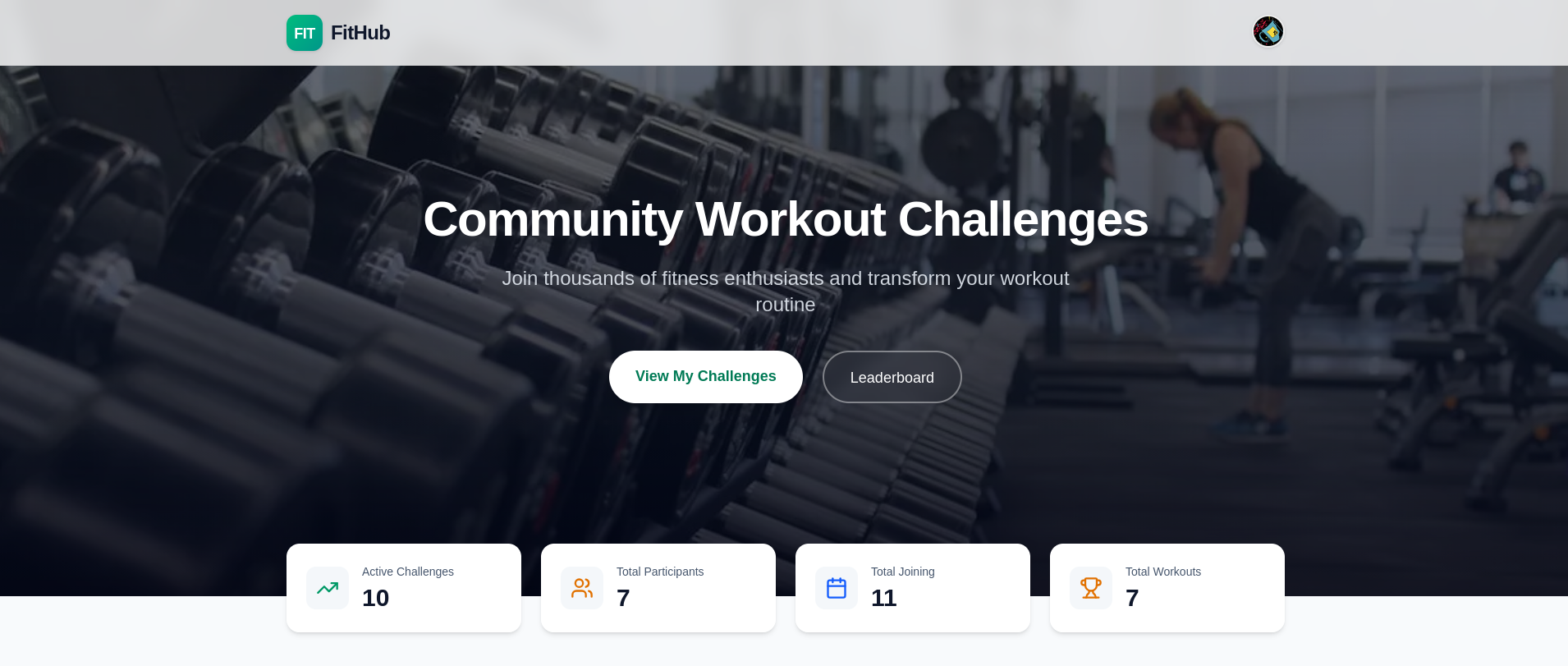
Project overview
FitHub is a fitness platform built around challenges rather than solo tracking. Members pick a challenge by category and difficulty, log each session as they go, and earn points that place them on a public leaderboard, with an admin dashboard behind it managing users, challenges and site analytics.
The challenge
Fitness apps are good at recording what you did and bad at making you come back. Most people do not quit because tracking is hard, they quit because nothing is at stake and nobody notices. The problem was building something where consistency is visible, comparable, and worth defending.
What I built
The challenge is the unit everything hangs off: each one carries a category, a difficulty level and reward points. Joining links a member to it, and every logged workout, duration, intensity, calories, how it felt, feeds the points that drive the leaderboard. Behind it sits an admin side for managing members, challenges and who is allowed to stay.
The outcome
Members watch their streak and their rank move the same day they train, which is the part that keeps them logging. The operator gets a dashboard that answers who is active, which challenges are pulling people in, and where the traffic is coming from, without opening the database.
What it does
- Challenges by category and difficulty, from cardio to HIIT
- Workout logging with duration, intensity, calories and how it felt
- Points-based leaderboard ranking every member
- Personal challenge tracking with streaks and progress
- Admin dashboard for users, challenges, bans and site analytics
Inside the product
A screen-by-screen look at the interface, from what the user sees to the dashboard that runs it.
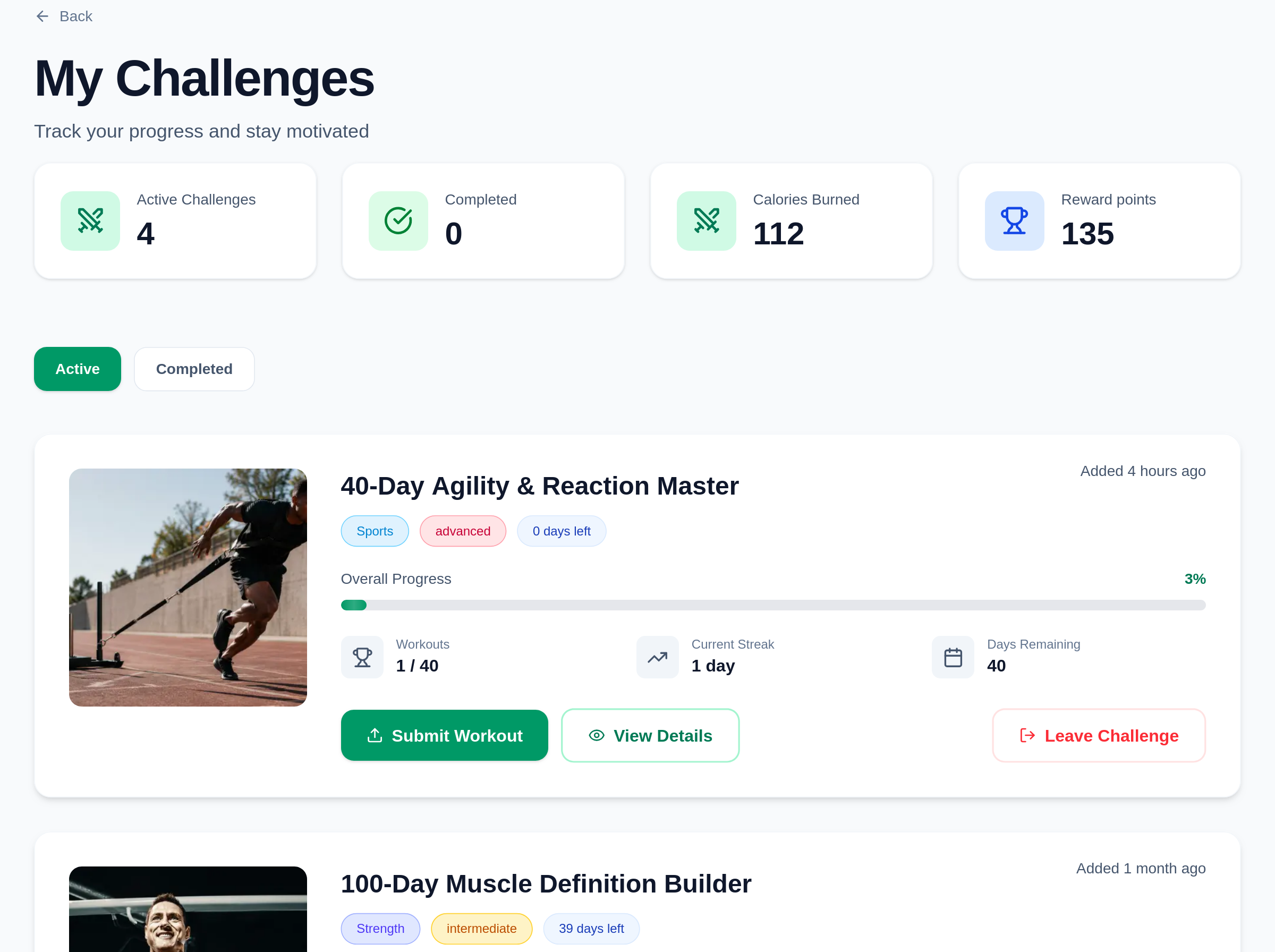
Your challenges, in one place
Everything a member has joined, with active and finished kept apart. Each card carries the progress bar, the streak, the days left and the button to log today's session, so the next thing to do is never more than one tap away.
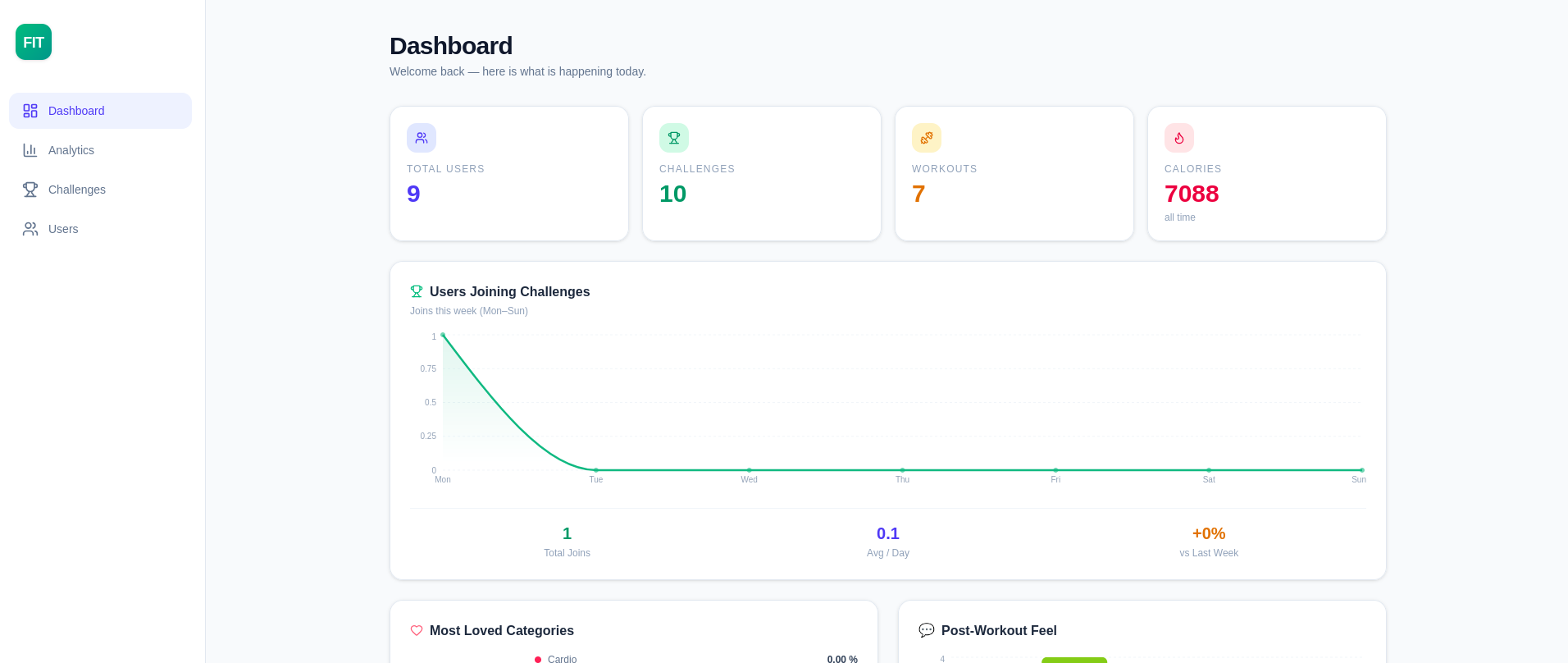
The dashboard on opening
Members, live challenges, sessions logged and calories burned across the whole platform, with a week of challenge joins underneath. It answers whether the community grew this week before anyone has to ask.
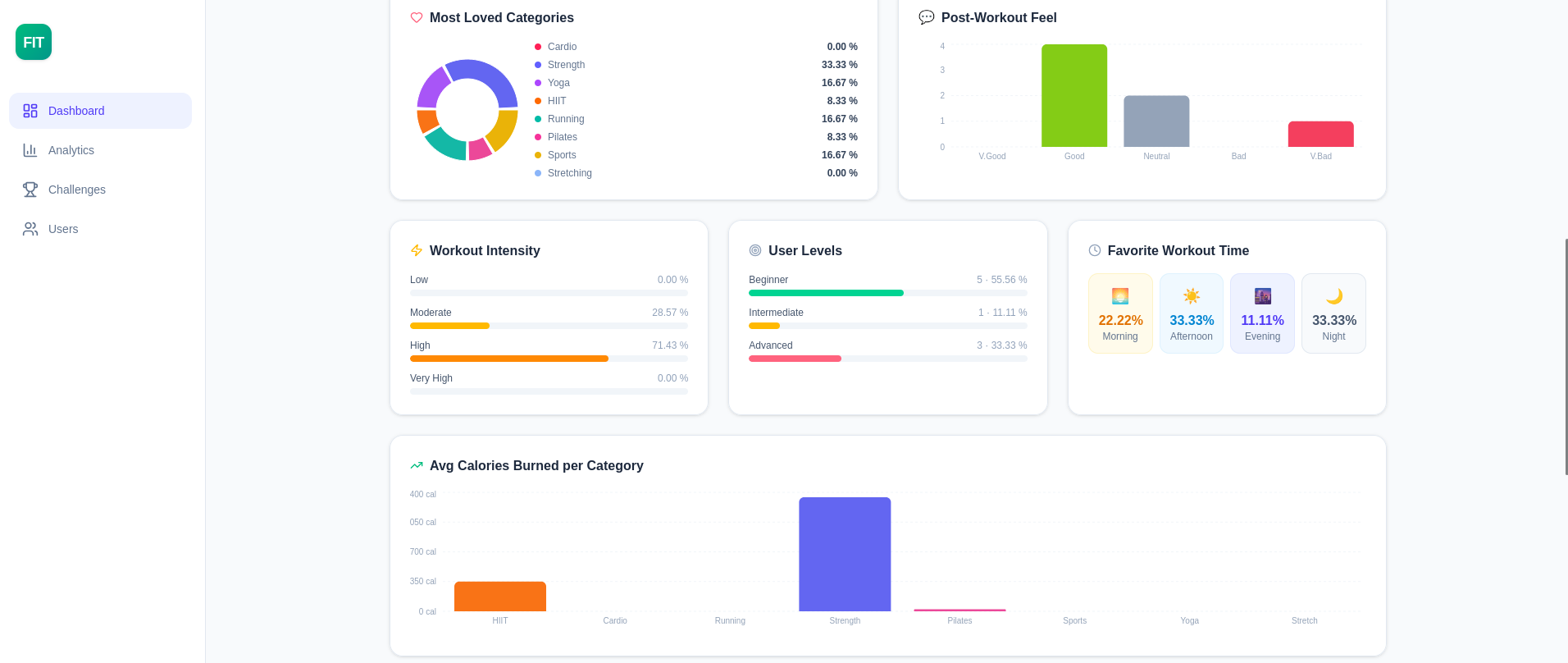
How the community actually trains
Which categories people pick, how hard they push, how they feel afterwards and what time of day they show up. It turns a pile of individual sessions into a picture of what this audience wants more of.
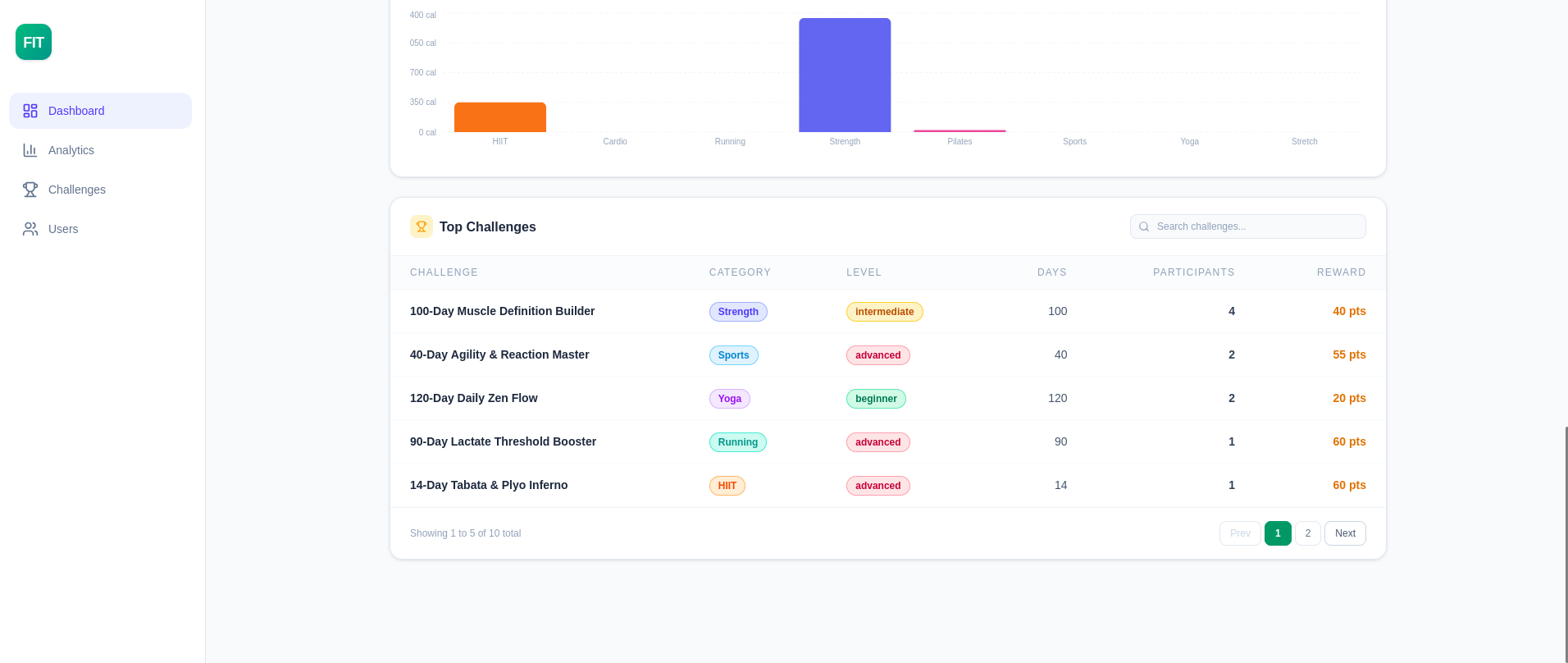
Which challenges are working
Every challenge ranked by how many people joined it, next to its category, level, length and reward. The ones worth running again and the ones nobody wanted show up in the same glance.
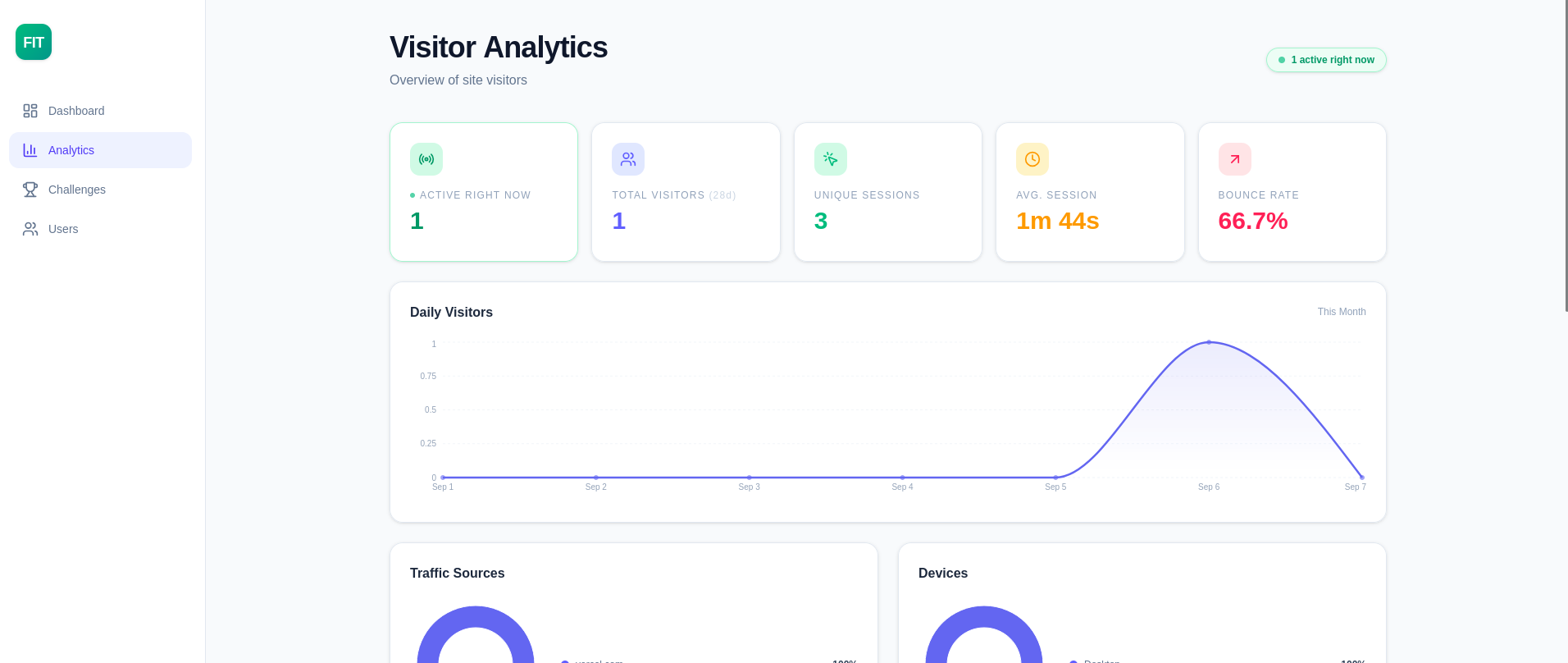
Who is on the site right now
Live visitors, sessions, average time spent and bounce rate, with a daily curve across the month. Enough to tell a quiet week apart from a page that has quietly broken.
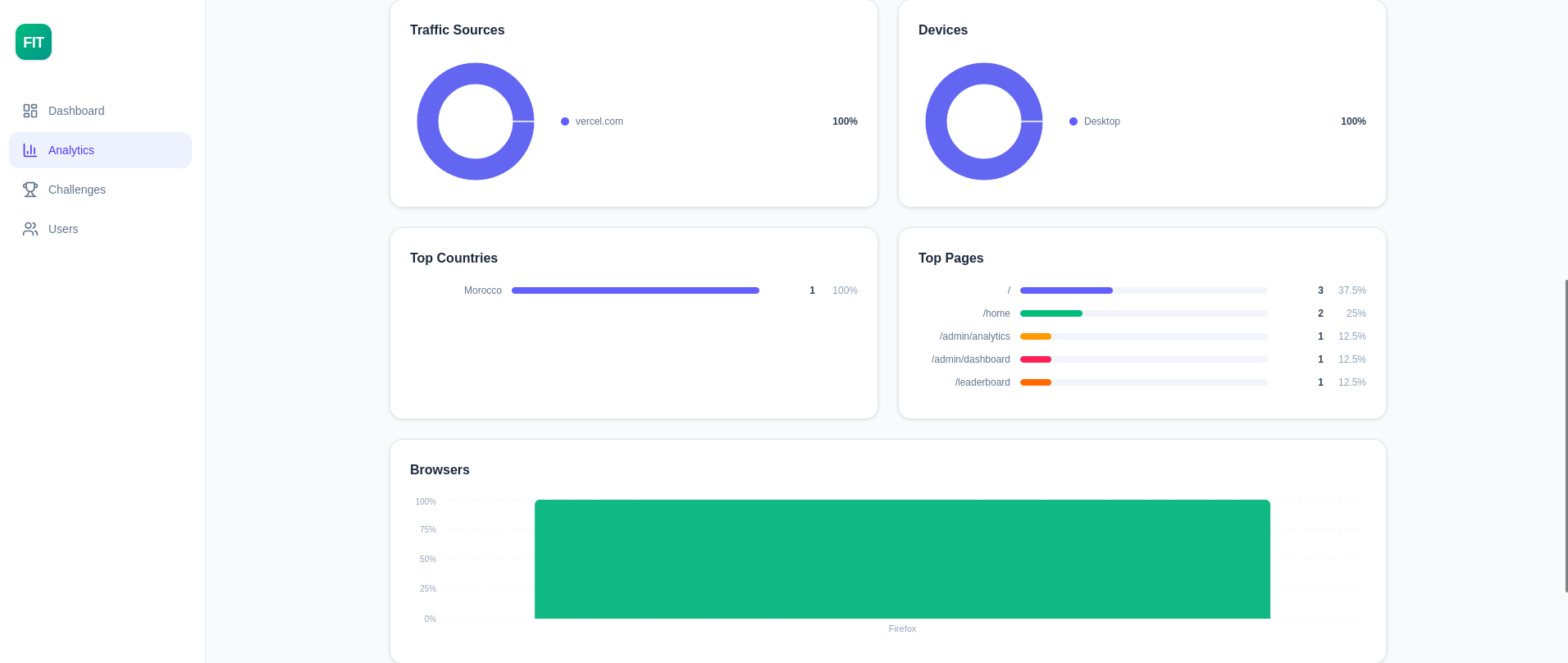
Where the traffic comes from
Sources, devices, countries, browsers and the pages people actually land on. Enough to know which channel is worth the effort and which one never was.
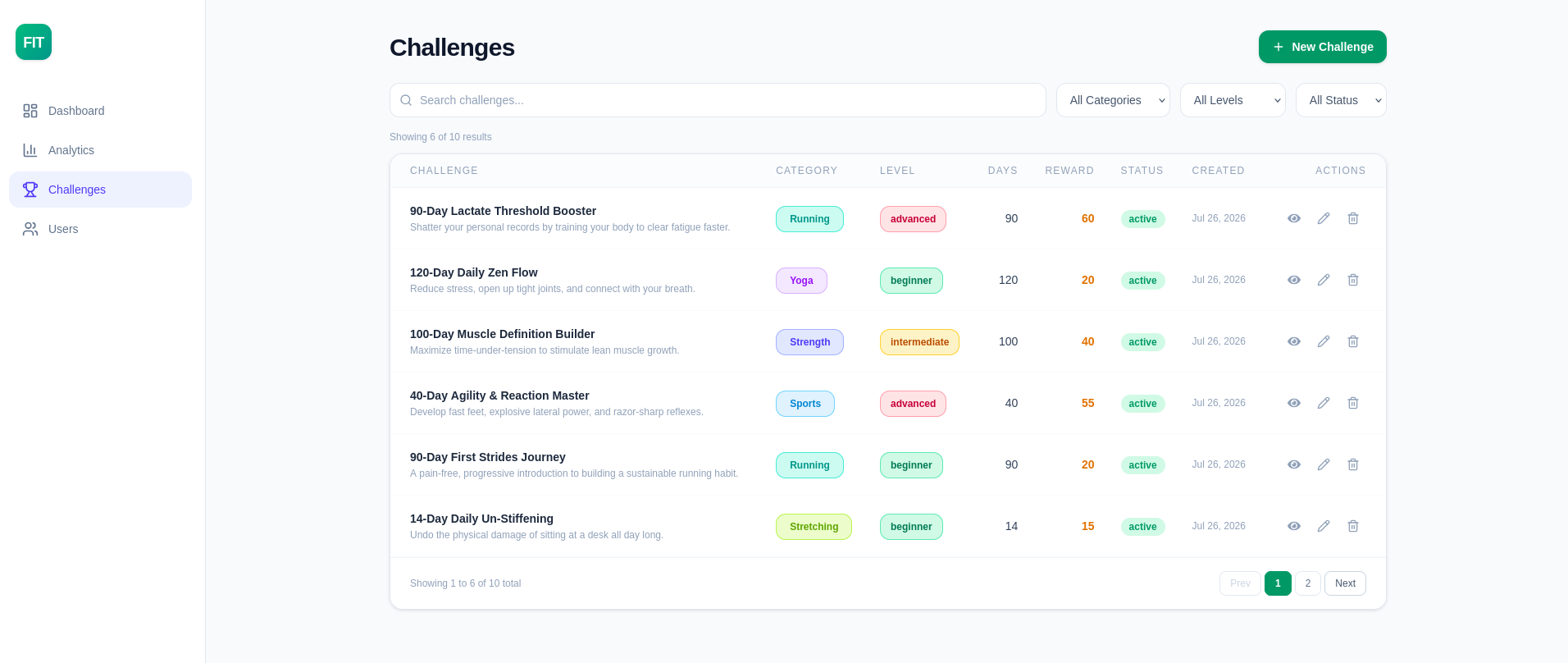
Running the challenge catalogue
Search it, filter by category, level or status, then open, edit or remove any challenge from the same table. Putting a new one up is one button away.
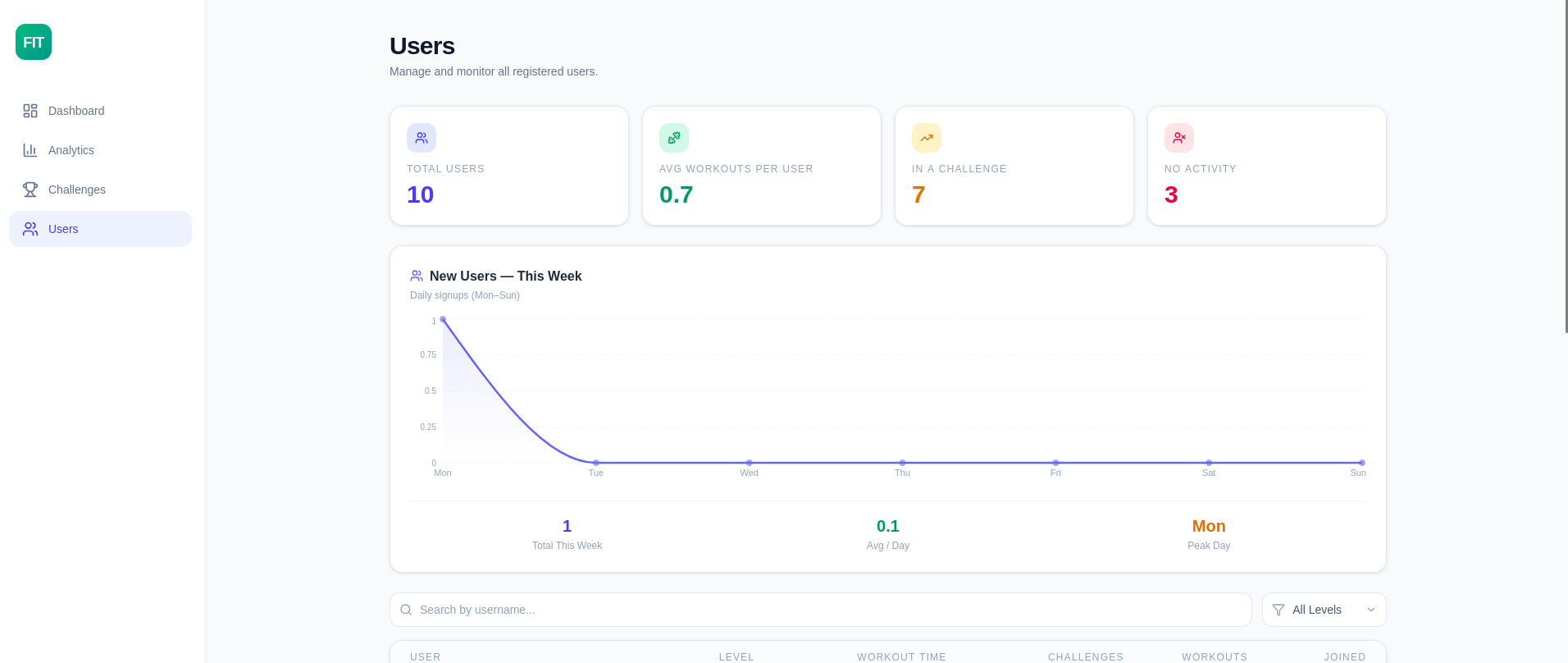
Keeping an eye on the members
How many members there are, how many are mid-challenge, how many have gone quiet, and who signed up this week. That third number is the useful one, because it names the people worth winning back.
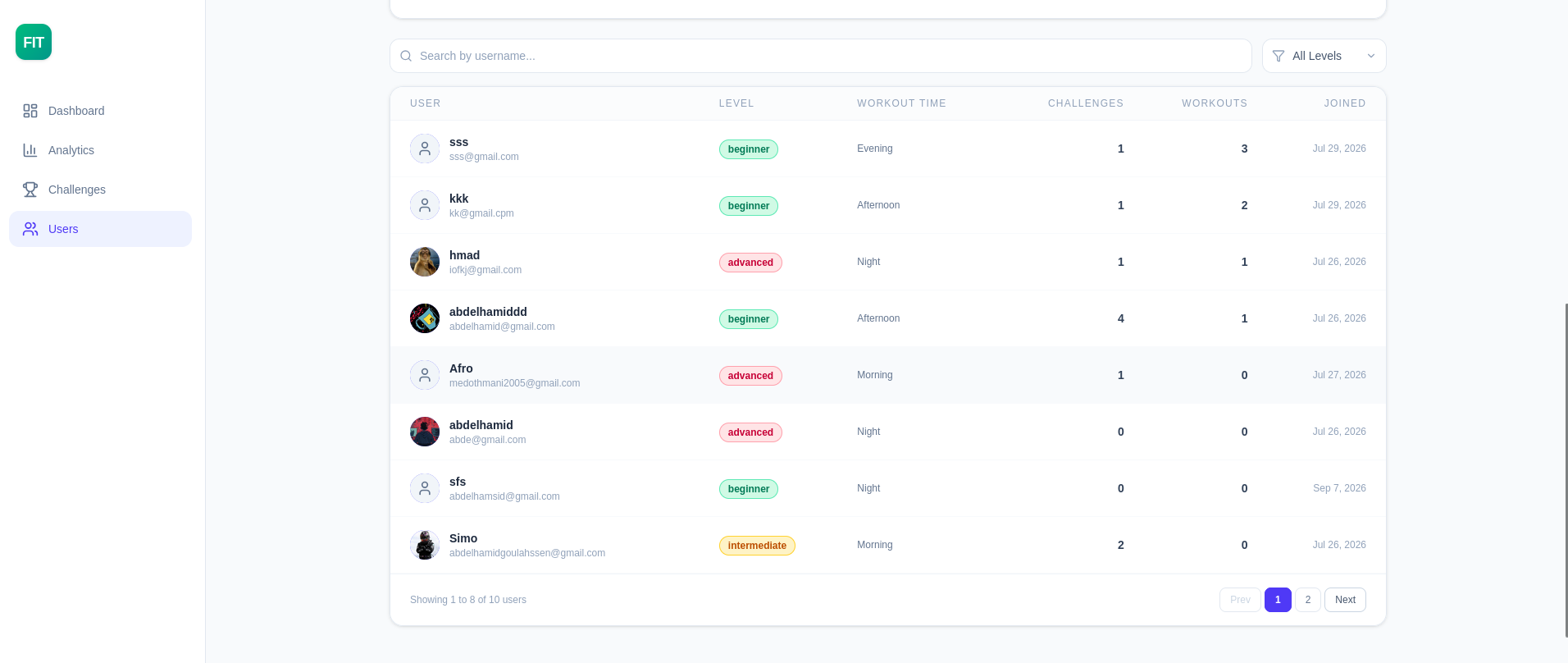
Every member, one row each
Level, preferred training time, challenges joined, sessions logged and the day they arrived, searchable by name. It is the difference between knowing a number went up and knowing who moved it.
Built with
- Next.js
- TypeScript
- Tailwind CSS
- Prisma
- PostgreSQL
- BetterAuth
Want something like this?
Tell me what your business needs and I will tell you what it takes to build it.
Start a project