Event Booking & Ticket Sales
A ticketing platform where visitors find an event and check out in two steps, and the organiser watches sales land in real time.
- Built for
- Event organisers and venues
- Timeline
- 2 weeks
- Type
- Web application
Project overview
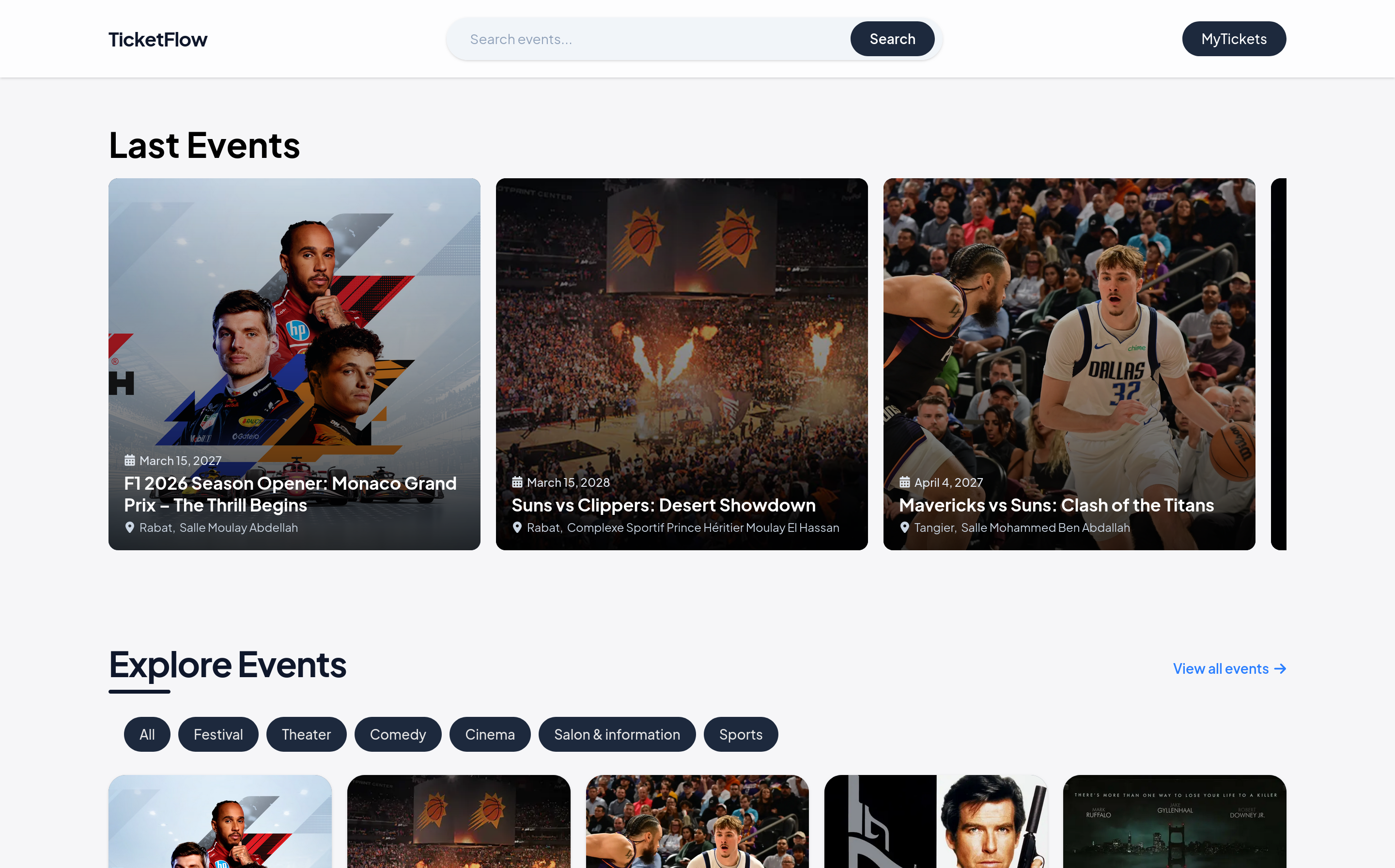
TicketFlow is an event ticketing platform for people who want to discover and book events without a clunky checkout. It handles everything from browsing events by category to a two-step booking flow, backed by an admin dashboard that tracks sales, revenue, and orders in real time.
The challenge
Event organizers needed a way to list events and sell tickets without stitching together a website, a payment flow, and a spreadsheet to track who bought what. Buyers needed a simple path from 'browsing' to 'booked', no account confusion, no dead-end forms.
What I built
A full booking flow with search, category filters, and a two-step checkout, paired with an admin panel for creating and managing events. Orders, revenue, and ticket sales are tracked live, with charts that turn raw transactions into numbers an owner can actually read.
The outcome
Organizers get a live view of how each event is performing, tickets sold, revenue by category, order history, without touching a database or asking a developer for a report. Buyers get a fast, low-friction path from finding an event to holding a ticket.
What it does
- Browse and search events by date, category and venue
- Two-step checkout with seat and quantity selection
- Live admin dashboard for revenue, orders and attendance
Inside the product
A screen-by-screen look at the interface, from what the user sees to the dashboard that runs it.
Pick event
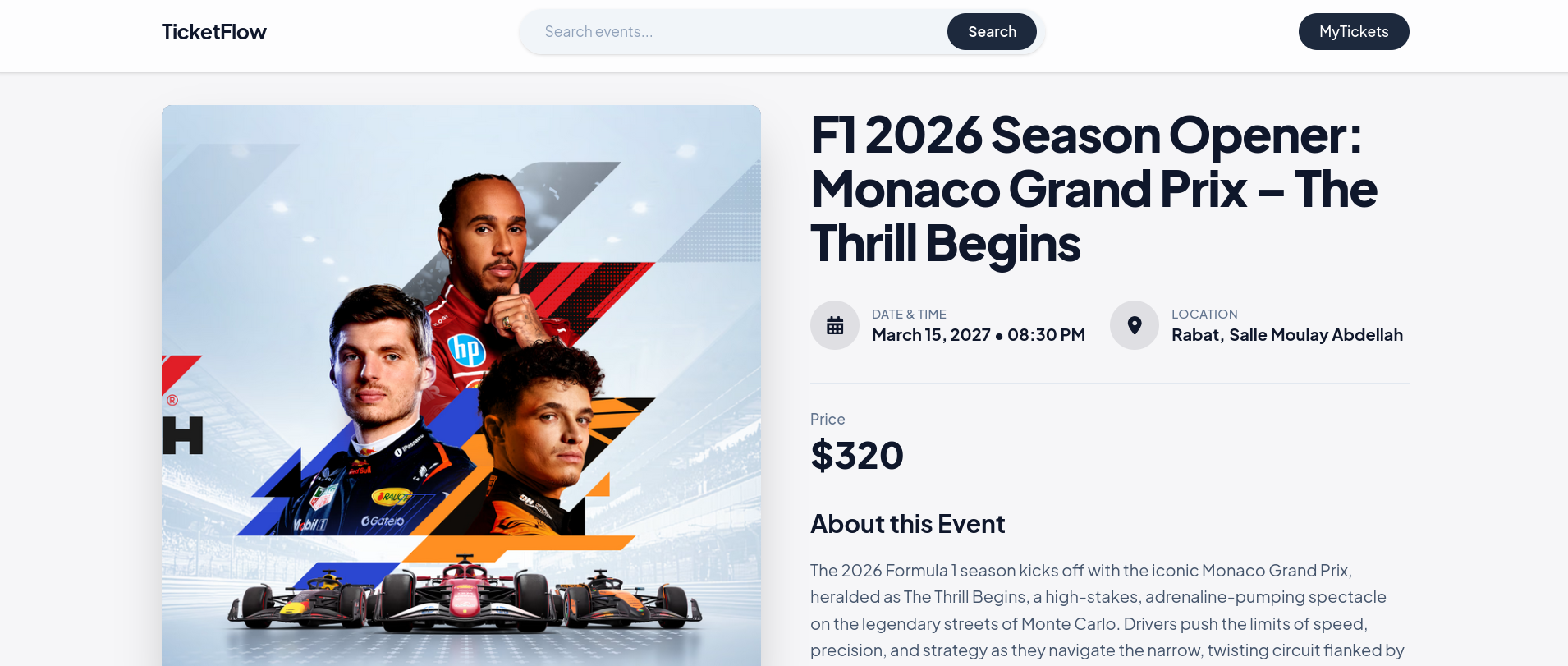
Each event page lays out everything a buyer needs before committing, date, time, location, price, and a full description, so there's no guessing before checkout starts.
Checkout in two steps
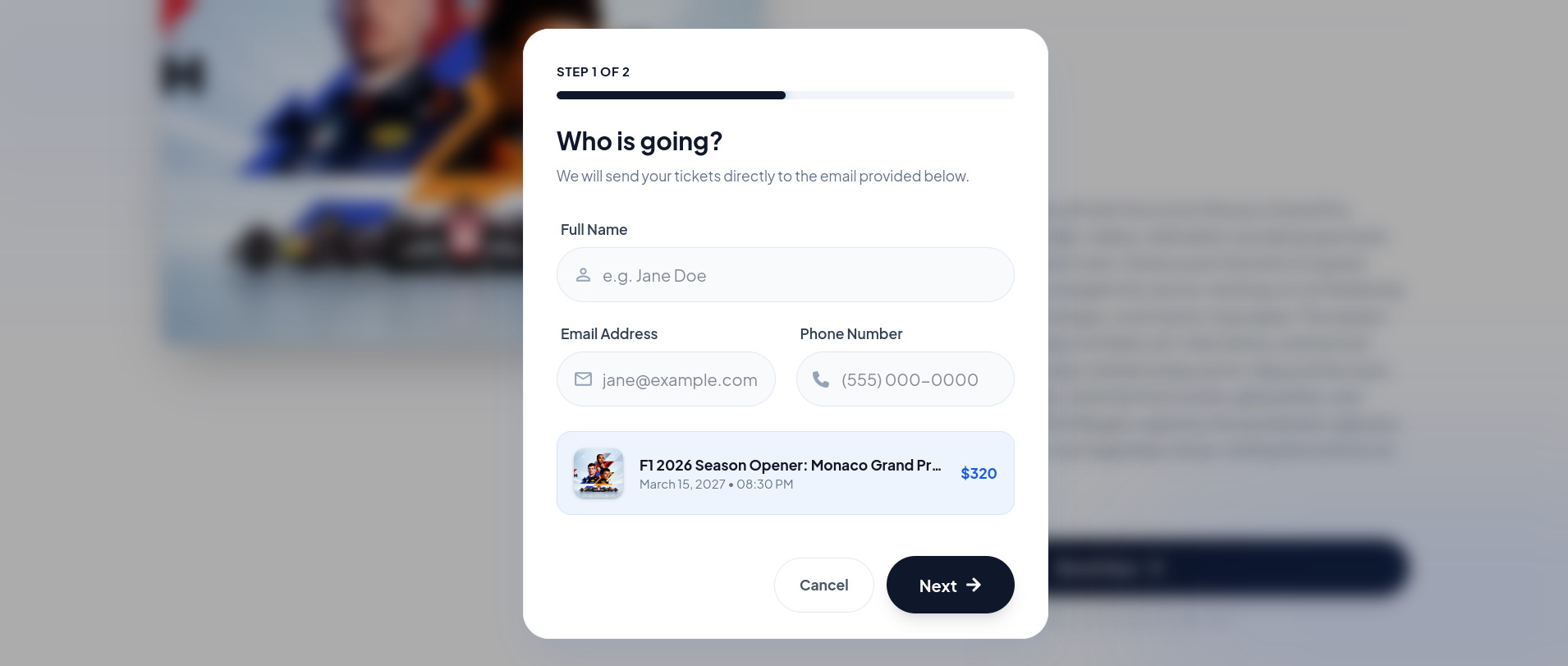
A short who's going form collects the buyer's name, email, and phone, tied to the exact event and price, then moves straight to confirmation, no extra screens, no account required to get started.
The tickets you already hold
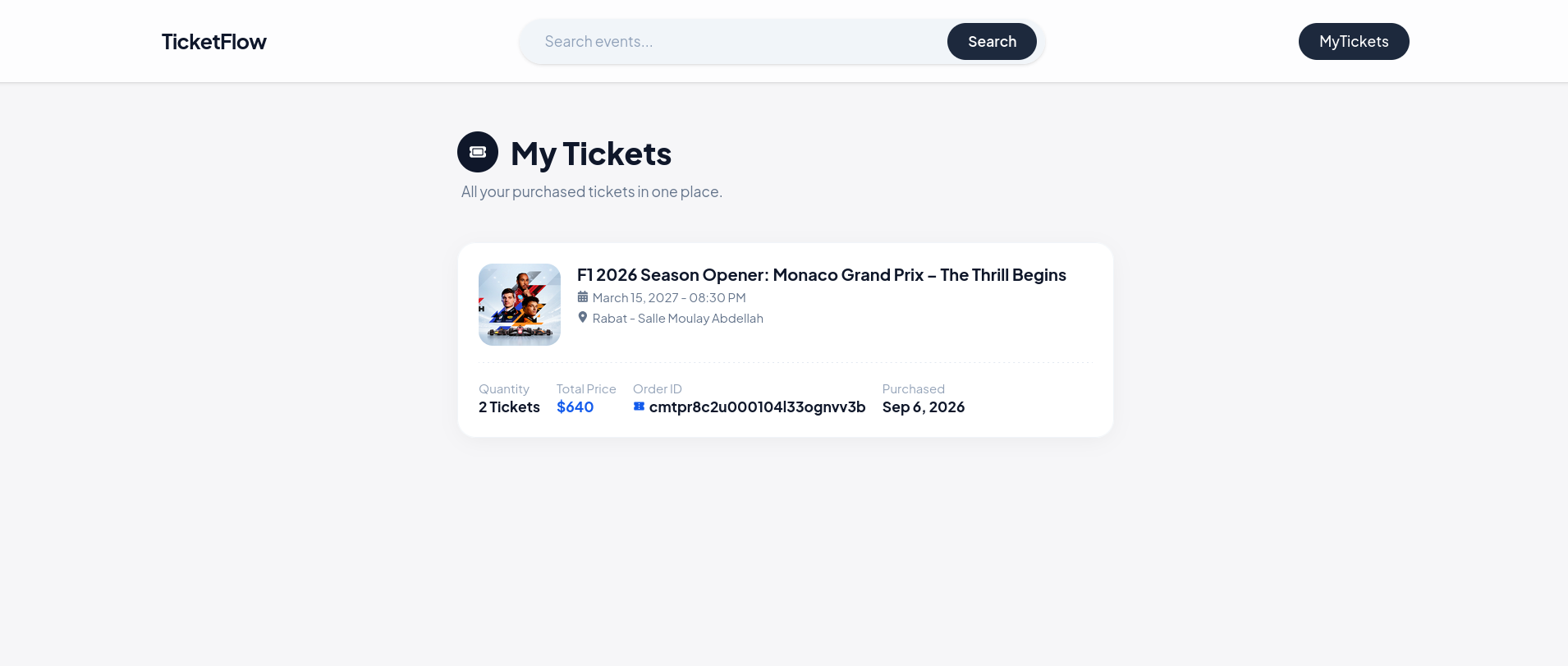
'My Tickets' pulls up everything a buyer has purchased in one place, event details, quantity, total price, and an order ID they can reference if anything needs checking.
The admin dashboard
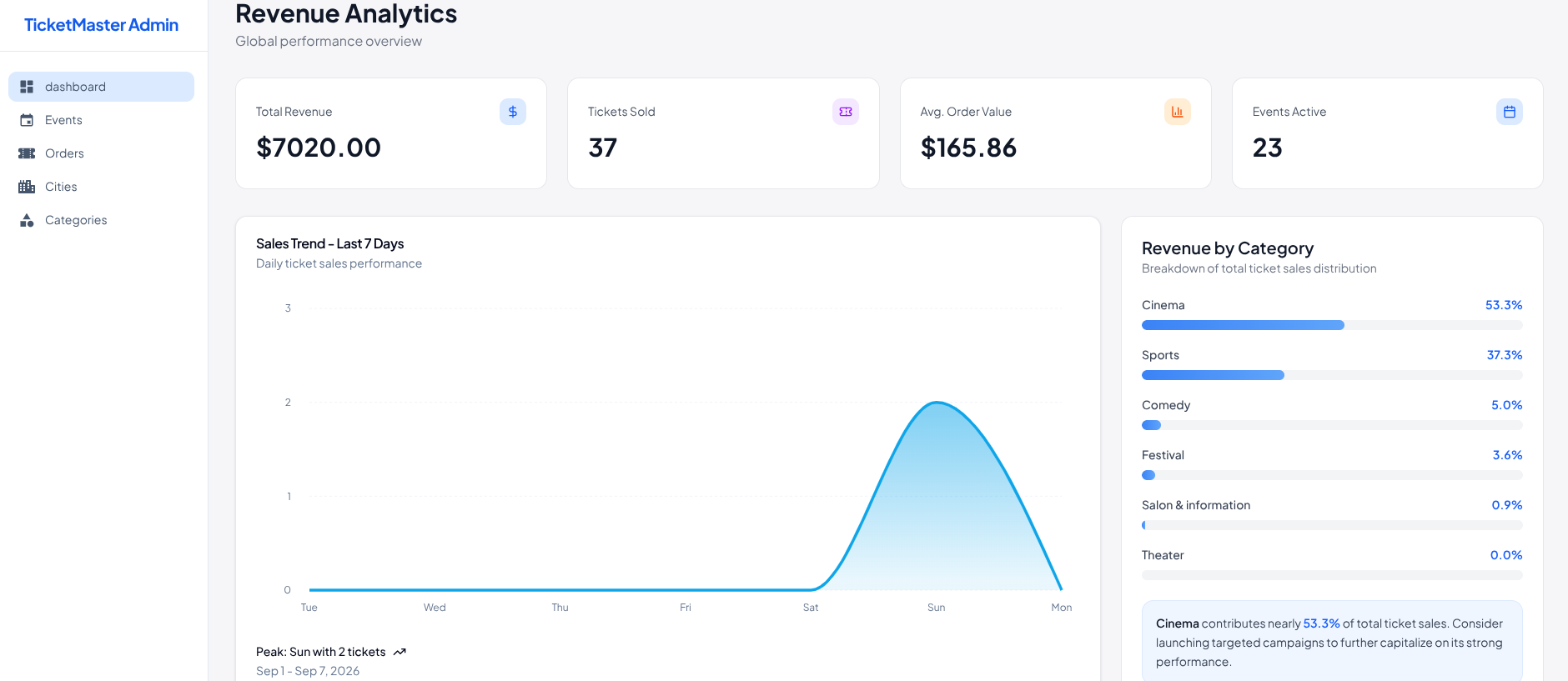
Revenue, tickets sold, and active events at a glance, with a 7-day sales trend and a category breakdown showing where the money's coming from, plus a quick insight flagging which category to double down on.
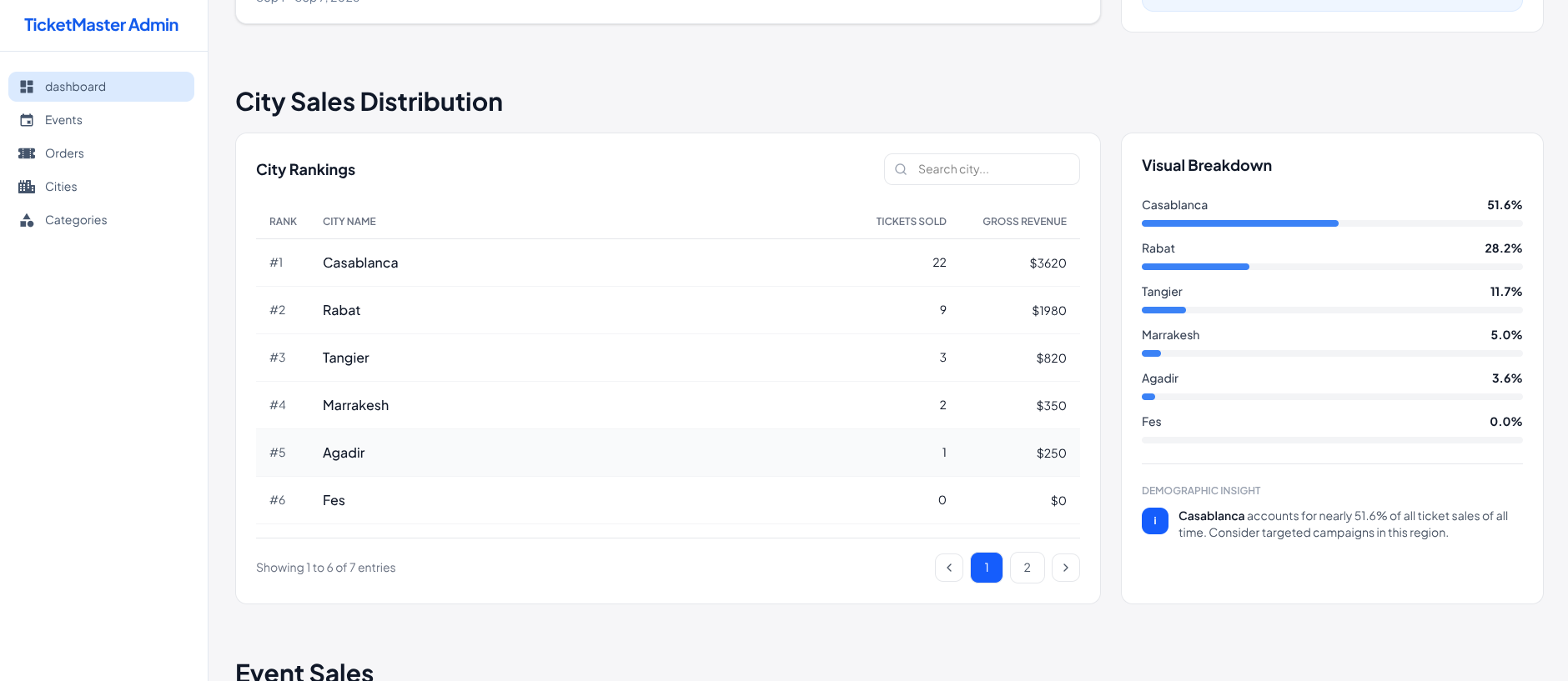
City Sales Distribution
A ranked breakdown of tickets sold and revenue by city, searchable and paginated, with a side-by-side visual split so it's clear at a glance where sales are concentrated, plus a quick insight on which city to target next.
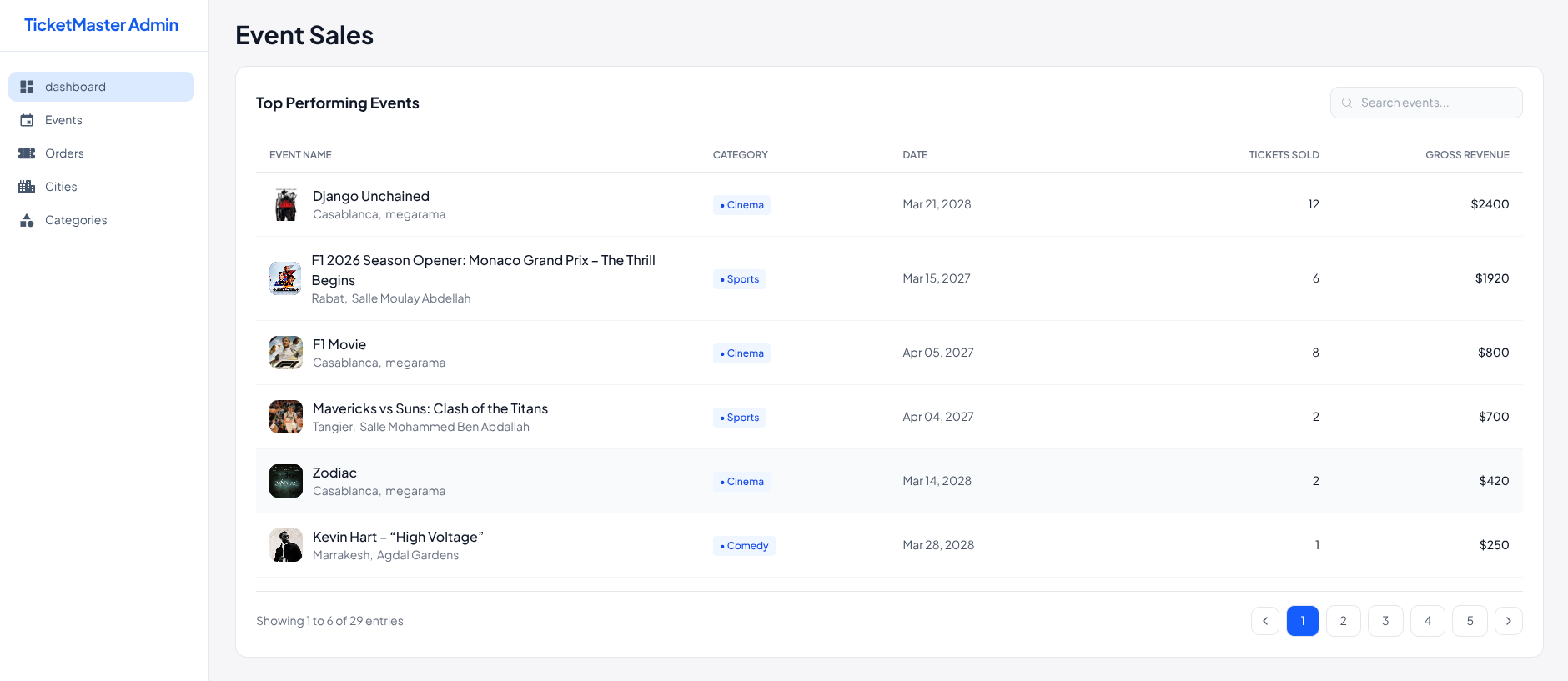
Event Sales
A searchable, ranked table of every event by tickets sold and gross revenue, with category and location at a glance, so it's easy to spot which events are actually performing better.
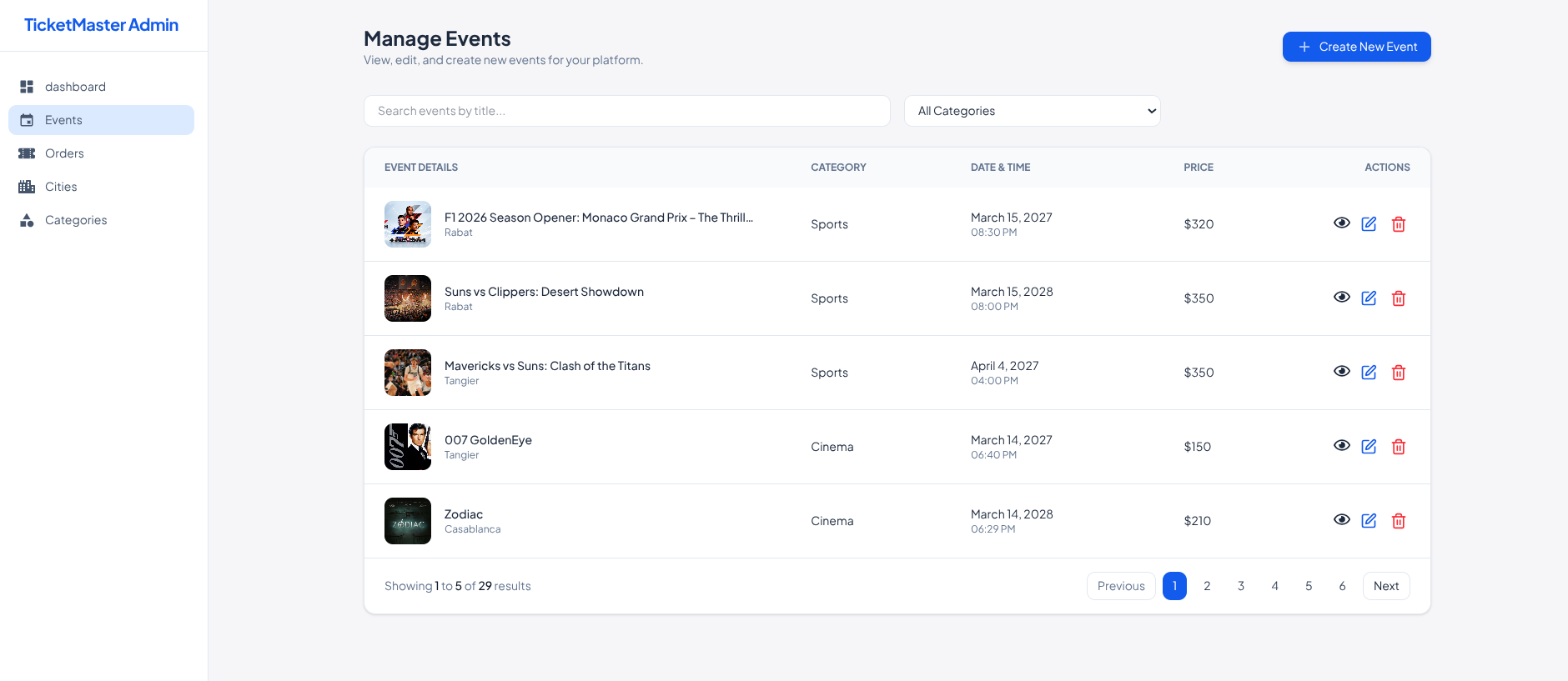
Manage Events
Full control over every event listing. Search by title, filter by category, and view, edit, or delete events directly from the table, with a quick-create button for adding new ones.
Built with
- Next.js
- TypeScript
- Tailwind CSS
- Prisma
- PostgreSQL
- Vercel
Want something like this?
Tell me what your business needs and I will tell you what it takes to build it.
Start a project